Short answer
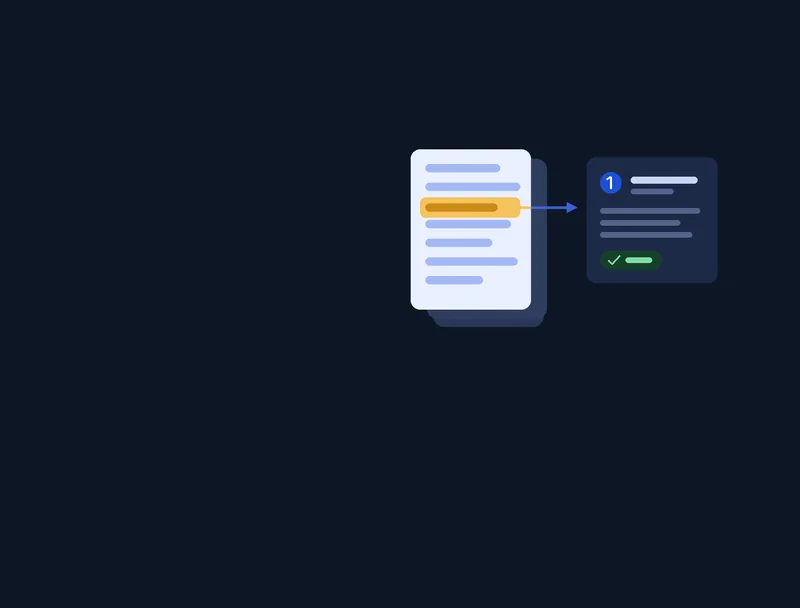
A RAG knowledge base lets staff ask questions in plain language and get answers drawn from the company's own documents, SOPs and databases. Documents are split into passages, embedded and stored in a vector database. At question time the most relevant passages are retrieved and passed to the language model, so no custom model training is needed.


Introduction
A RAG system for company knowledge base allows businesses to use AI with internal documents, SOPs, emails, and databases without training a custom model.
Instead of storing knowledge inside the model, a RAG architecture retrieves relevant information at runtime and sends it to the LLM.
This approach is becoming the standard for SMBs building internal AI tools, knowledge assistants, and workflow automation systems.
A RAG system for company knowledge base helps SMBs build internal AI using their own documents, databases, and workflows.
In this guide, we explain the architecture, components, implementation, and best practices for building a RAG system for business knowledge.
What is a RAG System for Company Knowledge Base
RAG stands for Retrieval-Augmented Generation.
A RAG system for company knowledge base works by:
- Storing company data in a searchable format
- Retrieving relevant content when a question is asked
- Sending the retrieved context to an LLM
- Generating an accurate answer
Basic flow:
User → Query → Retriever → Vector DB → Context → LLM → Response
This allows companies to build internal AI without training models.
Why a RAG Knowledge System Matters for SMBs
Most SMBs store knowledge across:
- Google Drive
- Notion
- Slack
- Emails
- PDFs
- CRM
- Project tools
Problems:
- information hard to find
- repeated questions
- slow onboarding
- manual search
- support dependency
A RAG system solves this by creating a single AI interface for company knowledge.
Common SMB use cases:
- internal chatbot
- SOP search
- sales knowledge assistant
- support documentation AI
- HR policy search
- proposal generator
- document lookup
When to Use and When Not to Use RAG
Use RAG when:
- data changes often
- documents are large
- knowledge is external
- you need search + AI
Do NOT use RAG when:
- you need model training
- data is very small
- behavior learning required
- no document base exists
Alternatives:
- fine tuning
- rule engines
- agents
- search systems
RAG System Architecture Overview
A production RAG system for company knowledge base contains multiple layers.
Architecture diagram:
User
→ API Layer
→ Query Processor
→ Retriever
→ Vector Database
→ Context Builder
→ LLM
→ Response Formatter
→ UI Dashboard
Core modules:
- ingestion pipeline
- embedding model
- vector database
- retriever
- prompt builder
- LLM
- backend API
- frontend UI
A production RAG system for company knowledge base requires a proper retrieval pipeline, vector database, and LLM integration.
Correct architecture is critical for accuracy.
Architecture Diagram Description
Diagram:
Documents → Chunking → Embeddings → Vector DB
User → API → Retriever → Vector DB → Context → LLM → Response
Admin → Upload → Index → Search

This diagram represents a typical RAG system used in production.
Components of a RAG System
Document Loader
Loads data from:
- DOC
- DB
- API
- Notion
- Drive
- Slack
Converts to text.
Text Chunking
Documents split into smaller parts.
Rules:
- 500 to 1000 tokens
- overlap enabled
- semantic boundaries
Bad chunking reduces accuracy.
Embeddings
Text → vector representation.
Common models:
- OpenAI embeddings
- BGE
- E5
- Instructor
Embeddings enable semantic search.
Vector Database
Stores embeddings.
Popular options:
- Pinecone
- Qdrant
- Weaviate
- Milvus
- PGVector
Vector DB allows similarity search.
Retriever
Finds relevant chunks.
Methods:
- similarity search
- hybrid search
- reranking
Retriever quality affects output quality.
Prompt Builder
Combines:
- user query
- context
- instructions
Prompt = Context + Question + Rules
Prompt design is important.
LLM Layer
Model options:
- GPT
- Claude
- open-source LLM
- local LLM
LLM generates final answer.
API Layer
Handles:
- auth
- requests
- logging
- caching
- rate limits
Common backend:
- Node
- Python
- FastAPI
UI Dashboard
Provides:
- chat interface
- search UI
- admin panel
- document upload
- analytics
Frontend stack:
- React
- Next.js
- Tailwind
Data Flow in a RAG System
Flow:
Documents
→ Loader
→ Chunking
→ Embedding
→ Vector DB
Query
→ Retriever
→ Context
→ LLM
→ Answer
Clear flow improves performance.
Step-by-Step Implementation
- Define data sources
- Build ingestion pipeline
- Create embeddings
- Store in vector DB
- Implement retriever
- Connect LLM
- Build API
- Build UI
- Add auth
- Add logging
Production systems require all layers.
Tech Stack Options
Typical stack:
Alternative stack:
- local LLM
- Milvus
- FastAPI
- Redis
Stack depends on scale.
SMB vs Enterprise RAG Design
SMB:
- single index
- simple retriever
- small docs
- basic UI
Enterprise:
- multi index
- permissions
- caching
- reranking
- orchestration
- audit logs
Design must match usage.
Real Use Cases
- internal GPT
- AI support agent
- AI sales assistant
- document AI
- HR bot
- ops automation
- knowledge search
Most business AI starts with RAG.
RAG vs Fine Tuning vs Agents
RAG
- best for knowledge
Fine tuning
- best for behavior
Agents
- best for automation
Many systems combine all.
Best Practices
- clean data
- good chunking
- metadata tagging
- hybrid search
- caching
- monitoring
- access control
Best practices improve accuracy.
Common Mistakes
- bad chunk size
- wrong embeddings
- too much context
- weak retriever
- no security
- no logging
Most failures come from architecture.
Scaling RAG Systems
Scaling requires:
- caching
- async retrieval
- multi index
- rerank models
- batching
- sharding
Large systems need optimization.
Security Considerations
Important for SMB:
- auth
- permissions
- encryption
- logging
- access control
Never expose internal data.
Future of RAG Systems
Trends:
- multi-agent RAG
- memory systems
- hybrid search
- local + cloud LLM
- tool calling
RAG will remain core architecture.
Why Avinya Labs
Avinya Labs builds production AI systems including:
- RAG systems
- AI agents
- LLM automation
- internal dashboards
- workflow automation
- custom AI platforms
Serving clients globally including Dubai, Singapore, and Hong Kong.
From our work
Related: Generative AI and LLM development · RAG vs fine tuning: which does your business AI need?
Frequently asked questions
What is a RAG system for company knowledge base?
A RAG system for company knowledge base allows an AI model to retrieve internal documents, SOPs, and business data before generating answers.
Why use RAG instead of fine tuning?
RAG works better for company knowledge because documents change frequently and do not require model retraining.
Can SMBs build a RAG system?
Yes, SMBs commonly use RAG systems to create internal chatbots, knowledge search tools, and automation assistants.
What database is used in RAG?
Vector databases like Pinecone, Qdrant, Weaviate, or PGVector are commonly used in a RAG system for company knowledge base.
Is RAG secure for internal data?
Yes, when authentication, permissions, and API security are implemented, RAG systems can safely use private company data.
Can RAG be used with AI agents?
Yes, many modern AI agent systems use RAG to access company knowledge during automation workflows.
How does a RAG system scale?
Scaling requires caching, multiple indexes, better retrievers, and optimized embeddings.
Do all AI systems need RAG?
No, but most business AI applications that use documents or knowledge bases benefit from RAG architecture.
A well-designed RAG system for company knowledge base can become the core of internal AI automation.